Banglarbhumi Map 2026: Plot Map, Mouza Map & How to Read
Banglarbhumi offers two land maps: a plot map showing the boundary of one dag, and a mouza map showing every plot in a village sheet with roads, paths and water bodies. You request either one under Citizen Services → Service Delivery at banglarbhumi.gov.in, then download the signed PDF with your GRN and Application Number. A map tells you where a plot lies and what shape it has on record; it doesn’t fix the boundary on the ground by itself.
Which Banglarbhumi map do you need?
| Map | What it shows | You enter | Order it when |
|---|---|---|---|
| Plot map (LR) | The boundary sketch of one current plot | District, block, mouza, plot number | A bank, buyer or lawyer wants the shape of your dag |
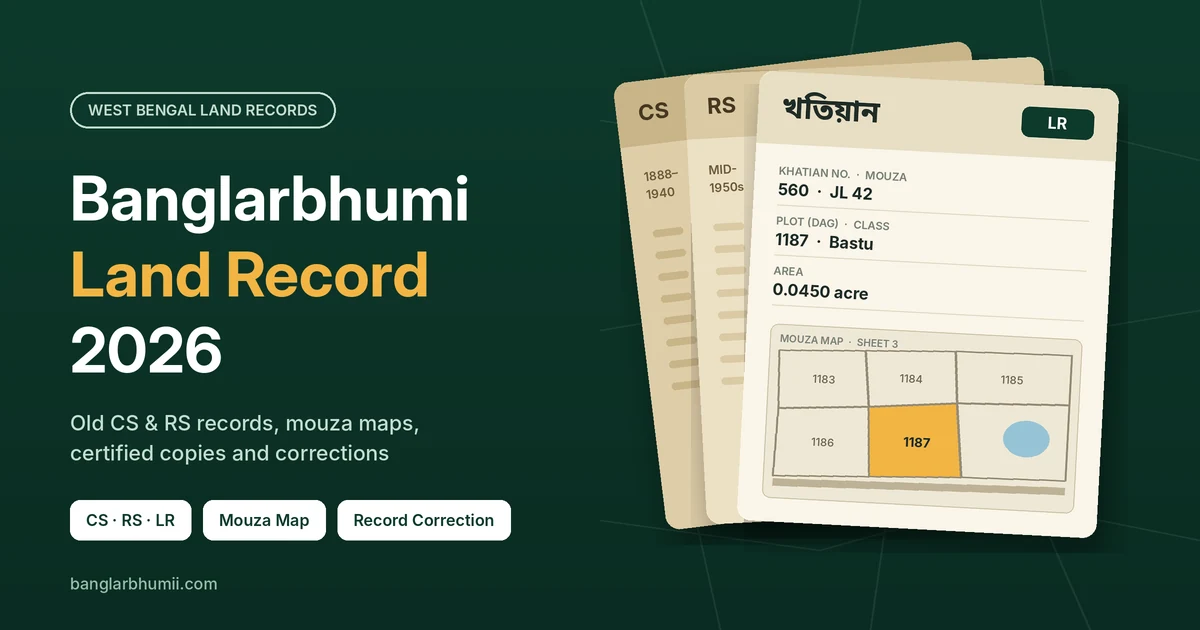
| Mouza map (LR) | All plots on one sheet of the mouza, with dag numbers, roads, paths, ponds and canals | District, block, mouza, sheet number | You need neighbours, access or the plot’s position in the village |
| Mouza map (RS) | The same area as surveyed in the mid-1950s, with the old sabek dag numbers | District, block, mouza, sheet number | An old deed quotes an RS dag and you need to see what it covered |
For most buyers, the LR mouza map is the more useful of the two. A plot map shows the shape, but only the mouza map shows whether that shape touches a road, sits beside a pond, or has a neighbour claiming the strip between.
How to get a mouza map on Banglarbhumi
The sheet number is the one detail most people don’t have, so find it first.
Step 1: Find your sheet number
A mouza is often drawn on more than one sheet, each with its own number. Open Mouza Map Availability Details on the portal and select your district, block and mouza. It lists the sheets available for that mouza, separately for LR and RS maps. If your mouza or sheet isn’t listed, that map hasn’t been made available online yet.
To match your dag to a sheet, use the portal’s View Mouza Map preview and look for your plot number. Your BL&LRO can also tell you the sheet from the dag number.
Step 2: Request the map
- Sign in at banglarbhumi.gov.in with your citizen account.
- Open Citizen Services → Service Delivery → Mouza Map Request.
- Select district, block and mouza, then the map type (LR or RS) and the sheet number.
- Fill in your name, guardian’s name and address, and type the captcha.
- Click Calculate Fee, pay through GRIPS, and save the receipt with your Application Number and GRN.
For one plot only, choose Plot Map Request instead and enter the plot number.
Step 3: Download the signed PDF
The map is ready once the block office signs it. You download it through GRN Search, the same way as a signed khatian; our e-Porcha guide covers those steps and how to check the digital signature.
Fee: the department’s map rate schedule prices an LR sheet at ₹150. The July 2026 fee waiver was announced for the signed khatian and plot information, so check the Calculate Fee screen for the current map charge before you pay.
Paper maps: printed mouza map sheets are also sold at the BL&LRO and the Collectorate record room. Use that route when your mouza isn’t online.
How to read a Banglarbhumi map
- Mouza, JL number and sheet number. Confirm they match your khatian before reading anything else. A neighbouring mouza can have plots with the same numbers.
- Survey type. An LR map carries current dag numbers; an RS map carries the old ones. The same plot usually has a different number on each.
- Scale. Cadastral sheets in West Bengal are drawn at fixed scales; the scale is printed on the sheet.
Then read the plots:
- Each closed outline is one dag, with its number written inside. Find yours first, then note the numbers on every side; those are your adjoining plots.
- Split plots. When a plot is divided during or after a survey, the new pieces are recorded as “bata” plots with fresh numbers. That’s why a neighbour’s number can look far out of sequence.
- Roads, paths, ponds and canals are drawn as their own parcels or lines. Check whether your plot actually touches the road you were promised, or only reaches it through someone else’s dag.
- Plots cut by the sheet edge continue on the next sheet. If your plot sits at the edge, order the adjoining sheet too.
What the scale means in feet
The department’s survey rules use sheets at 16, 32, 64 and 128 inches to a mile. The basic sheet is 16 inches to a mile (1:3,960); the larger scales are used where plots are small and crowded. Read the scale on your own sheet rather than assuming one.
| Scale on the sheet | 1 inch on the map equals | 1 cm on the map equals |
|---|---|---|
| 16 inches to a mile (1:3,960) | 330 feet | about 39.6 m |
| 32 inches to a mile (1:1,980) | 165 feet | about 19.8 m |
| 64 inches to a mile (1:990) | 82.5 feet | about 9.9 m |
| 128 inches to a mile (1:495) | 41.25 feet | about 5 m |
These figures hold only on a print at true size. If you print the PDF with “fit to page” or zoom it on a phone, the ruler maths stops working. Print at 100% (actual size) before you measure anything.
Checking the map against the land
A mouza map is a survey drawing, not a GPS boundary. Use it to confirm you’re standing on the right plot and that its shape and neighbours make sense.
- Anchor on fixed features. Find a road, pond, canal or path on the map that you can also see on the site. Work out from there to your dag.
- Walk the neighbours. Ask who holds each adjoining dag and check their names against the khatian of those plots on Know Your Property.
- Measure the sides. Take each side on the true-size print with a ruler, convert it with the scale table above, then tape the same side on the ground.
- Compare the area. Your khatian gives the recorded area. A rough calculation from the map should land close to it.
Small differences are normal on an old cadastral sheet. Large ones, a missing access road or a neighbour’s fence well inside your outline, need a proper measurement before any money changes hands.
Who measures? For a private sale or a family boundary, you hire a private amin (surveyor) who works from the LR map. Government amins measure private land only in limited cases: under a Land & Land Reforms Department memo of 2004, when a competent court orders it, or when a demarcation dispute risks a breach of the peace.
Common Banglarbhumi map problems
| Problem | Likely reason | What to do |
|---|---|---|
| Mouza or sheet not listed | That map isn’t online for your mouza yet | Buy the printed sheet at the BL&LRO or the Collectorate record room |
| Your dag isn’t on the sheet | Wrong sheet, or an RS number searched on an LR map | Check the other sheets; convert old numbers with RS-LR Information |
| Plot runs off the edge | It continues on the adjoining sheet | Order both sheets |
| “Signed copy not yet generated” | The block office hasn’t signed it yet | Wait for the SMS, then search GRN again |
| Measurements don’t match | Print not at true size, or a different scale | Reprint at 100% and read the scale on the sheet |
| Map and khatian disagree | A split, merger or correction not yet drawn on the map | Apply at the BL&LRO; boundary corrections are entered in the Register of Map Corrections and then carried into the khatian |
A map error is a record error, so it goes through the same hearing-based route as any other correction. Our land record guide explains how that works and what to bring.
Frequently asked questions
Can I see a Banglarbhumi map for free?
You can preview a mouza map on the portal through View Mouza Map. The signed PDF that you can hand to a bank or lawyer comes through a paid request.
Is the map proof of my boundary?
No. It is the official survey drawing of the plot, and it is strong evidence of shape and position. Exact boundaries on the ground are settled by measurement, and in a dispute, by the land office or a court.
Does the map show who owns each plot?
No. The map carries dag numbers only. Owners are in the khatian, so search each dag number on Know Your Property.